

In today’s technology-driven world, small businesses must stay up-to-date with the latest online conferencing tools to stay connected with clients, vendors, and remote staff members.
They are becoming increasingly popular, allowing companies to save time and money while staying connected with their team members and clients.
This blog post will explore the best free online conferencing tools that small business owners can use to maintain good communication with everyone involved in their business operations.
Key Characteristics of a Good Online Conferencing Tool
The right online conferencing tool is crucial for a seamless and productive virtual meeting experience. Here are the key characteristics of a good online conferencing tool:
- High-Quality Video and Audio: A good online conferencing tool should provide clear and stable video and audio quality. Participants should be able to see and hear each other without interruptions or pixelation.
- Ease of Use: The tool should have an intuitive and user-friendly interface. Participants, even those who are not tech-savvy, should be able to join meetings and easily navigate the platform.
- Screen Sharing: Screen sharing capabilities are essential for presentations, demonstrations, and collaborative work. A good tool should allow participants to share their screens effortlessly.
- Recording and Playback: The ability to record meetings and save them for later is valuable for documentation, training, and reference purposes. Users should be able to access and playback recorded meetings easily.
- Scheduling and Calendar Integration: The tool should enable users to schedule meetings in advance and send out invitations. Integration with popular calendar apps like Google Calendar and Microsoft Outlook is a plus.
- Chat and File Sharing: In-meeting chat and file-sharing features facilitate real-time communication and collaboration. Participants should be able to exchange messages, links, and files during meetings.
- Security Features: Security is paramount in online conferencing. A good tool should offer features like meeting passwords, waiting rooms, and end-to-end encryption to protect meetings from unauthorized access and data breaches.
- Participant Management: The ability to manage participants easily, including muting, removing, or promoting them to co-hosts, is important for meeting organizers.
- Interactive Features: Interactive elements such as polls, surveys, Q&A sessions, and virtual hand-raising enhance engagement and participation during meetings and webinars.
- Customization: Users should be able to customize their virtual meeting environments with features like virtual backgrounds, branded templates, and personalized layouts.
- Breakout Rooms: For larger meetings or workshops, breakout rooms allow organizers to divide participants into smaller groups for focused discussions and collaboration.
- Webinar Capabilities: If hosting webinars is part of your needs, the tool should offer dedicated webinar features such as registration, reporting, and audience engagement tools.
- Integration Ecosystem: A good tool should integrate seamlessly with popular productivity and collaboration apps, extending its functionality and compatibility with existing workflows.
- Reliability and Uptime: Consistent availability and minimal downtime are crucial to ensure that meetings can be held without disruption.
- Mobile Accessibility: Participants should be able to join meetings from mobile devices, ensuring flexibility and accessibility.
- Customer Support and Training: The tool should offer responsive customer support and provide resources like tutorials and documentation to help users maximize its features.
- Cost and Pricing Plans: The tool should offer pricing plans that align with your budget and usage requirements, whether you’re an individual, small business, or enterprise.
Choosing an online conferencing tool with these characteristics will help you facilitate effective and productive virtual meetings, ensuring you can connect and collaborate seamlessly with colleagues, clients, and partners, no matter where they are located.
Affiliate Disclosure: We receive a commission on purchases made through links on this page.
Best Free Online Conferencing Tools for Small Businesses
Several excellent free video conferencing platforms are tailored to small businesses’ needs. Let’s explore some of the best options available.
1. Livestorm
Livestorm is an innovative online conferencing tool designed to streamline virtual meetings, webinars, and live video sessions for businesses of all sizes. This platform offers a versatile and user-friendly interface, enabling organizations to host interactive and engaging online events easily.
Livestorm’s cloud-based nature allows for effortless access from anywhere, enhancing collaboration and connectivity among remote teams and global audiences.
Key Features:
- Real-Time Analytics and Reporting: Livestorm provides comprehensive analytics that tracks engagement and participation metrics during live sessions, offering valuable insights into attendee behavior and webinar effectiveness.
- Integrated Marketing Tools: With built-in marketing features, Livestorm helps promote your events through customizable registration pages, automated email sequences, and seamless integration with CRM and marketing automation tools to maximize reach and conversion.
- Interactive Engagement Tools: The platform has interactive features such as polls, Q&A sessions, chat functionalities, and virtual hand-raising, fostering an engaging and participatory environment for attendees.
2. Zoom
Zoom is a leading online conferencing tool widely recognized for its ability to facilitate virtual meetings, webinars, and collaborative sessions with ease and reliability.
Catering to businesses, educational institutions, and individual users, Zoom offers a dynamic platform that supports seamless communication and interaction across distances.
Its user-friendly interface and robust infrastructure ensure high-quality video and audio conferencing experiences for users around the globe.
Key Features:
- HD Video and Audio: Zoom provides high-definition video and crystal-clear audio capabilities, supporting large meetings with hundreds of participants without compromising quality, ensuring a smooth and professional conferencing experience.
- Screen Sharing and Collaboration: Participants can share their screens, documents, or applications in real time, facilitating collaborative discussions, presentations, and workshops. Zoom’s interactive whiteboard feature further enhances teamwork and brainstorming sessions.
- Breakout Rooms: This feature allows hosts to split meeting participants into smaller groups for focused discussions or workshops. Breakout rooms can be assigned manually or automatically, making it an ideal tool for training sessions, classes, and team-building activities.
3. Whereby (formerly Appear.in)

Whereby, formerly known as Appear.in, is a user-friendly online conferencing tool that simplifies video meetings and collaboration.
Known for its ease of use and no-download approach, Whereby facilitates video conferencing directly from the browser, making it an excellent choice for small teams, freelancers, and personal use.
Its straightforward interface and flexible room management options provide a seamless video communication experience for users worldwide.
Top 3 Key Features:
- Browser-Based Meetings: Whereby’s platform allows users to join video meetings directly from their web browser without the need to download any software or apps, offering unparalleled convenience and accessibility.
- Customizable Meeting Rooms: Users can create personalized meeting rooms with custom URLs, making it easy to remember and share meeting links. Room customization options also enable users to reflect their brand or personal style in their virtual meeting space.
- Screen Sharing and Integration: Whereby supports screen sharing, allowing participants to present documents, slides, or applications during meetings. Additionally, it integrates with tools like Google Drive and Trello, enhancing collaboration and productivity within meetings.
4. Skype
Skype is a versatile online conferencing tool that has been connecting people through video and voice calls long before the widespread adoption of remote work and virtual meetings. Ideal for both personal and professional use, Skype facilitates easy communication across the globe, allowing users to conduct one-on-one meetings, group calls, and messaging. Its integration into daily communication routines and business operations makes it a go-to platform for millions.
Key Features:
- Free International Calls and Messaging: Skype allows users to make free voice and video calls to other Skype users anywhere in the world. Additionally, it offers instant messaging for quick and efficient communication, making it easy to stay connected.
- Screen Sharing and File Transfer: Users can share their screens during calls, enhancing presentations, and collaborative work. Skype also enables the transfer of files directly within the chat, supporting a seamless exchange of documents and media.
- Real-Time Translation: Skype’s real-time translation feature supports voice and text translation in multiple languages, breaking down language barriers and facilitating global communication among diverse user groups.
5. Google Meet (formerly Hangouts Meet)
Google Meet is a secure and efficient online conferencing tool developed by Google, designed to facilitate seamless video meetings directly from your browser or via the app.
Integrated with Google’s ecosystem, it offers a straightforward solution for businesses, educators, and individuals to host or join high-quality video conferences, virtual classrooms, and collaborative sessions without the need for software installation.
Key Features:
- Seamless Integration with Google Workspace: Google Meet is fully integrated with Google Workspace (formerly G Suite), allowing users to easily schedule meetings through Google Calendar, invite participants via Gmail, and collaborate on Google Docs, Sheets, and Slides in real-time during meetings.
- High-Quality Video Calls: Supports up to 250 participants in a single call, offering high-definition video and audio quality. Google Meet automatically adjusts the video to match the user’s bandwidth, ensuring clear communication even with varying internet speeds.
- Live Captioning: Powered by Google’s speech recognition technology, live captioning provides real-time captions during meetings, enhancing accessibility for participants who are deaf or hard of hearing, and aiding comprehension in noisy environments.
6. Jitsi
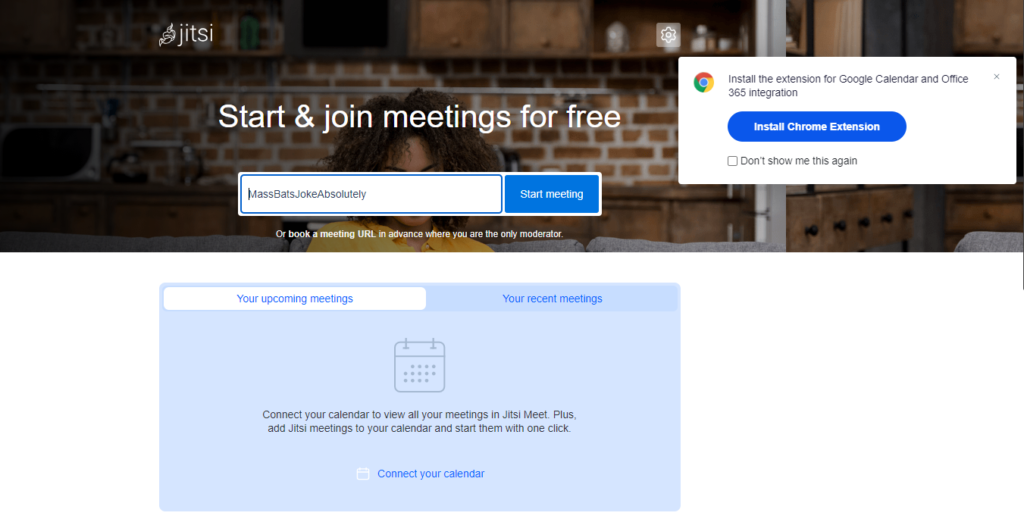
Jitsi is an open-source online conferencing tool that provides a flexible and secure platform for video meetings, webinars, and group chats.
Renowned for its accessibility and privacy-focused features, Jitsi supports seamless communication for both personal and professional use, without the need for account creation or software installation.
Its compatibility across various platforms and devices ensures users can connect effortlessly, making it a preferred choice for those prioritizing freedom and security in their online interactions.
Key Features:
- No Account Needed, Open Source: Jitsi sets itself apart by not requiring users to create an account, offering instant access to meetings via a web link. Being open-source, it allows for customization and review by the community, ensuring transparency and trust.
- End-to-End Encryption: Jitsi provides strong privacy protections, including end-to-end encryption for one-to-one calls (and ongoing work to extend this to group calls), safeguarding communication and user data from unauthorized access.
- Unlimited Users and Customization: Unlike many other platforms, Jitsi does not impose participant limits on meetings, accommodating large groups without compromising quality. Additionally, its open-source nature enables developers to customize and integrate the tool according to specific needs or preferences.
7. Slack

Slack is a powerful communication and collaboration tool widely used in the business world to streamline workflow and enhance team interaction.
Primarily known for its messaging capabilities, Slack also offers robust features for online conferencing, making it a comprehensive platform for remote and hybrid teams.
Its integration with various work tools and services further amplifies its effectiveness as a central hub for workplace communication.
Top 3 Key Features:
- Integrated Voice and Video Calls: Slack allows users to initiate voice and video calls directly within the platform, supporting one-on-one conversations or group meetings. This feature is seamlessly integrated, enabling quick transitions from text chat to live discussions.
- Screen Sharing: During video calls, participants can share their screens to facilitate presentations, demonstrations, or collaborative work. This feature enhances clarity and teamwork, allowing everyone on the call to view documents, websites, or applications in real time.
- Workflow and Third-Party Tool Integration: Slack integrates with a wide array of productivity and business tools, such as Google Drive, Trello, and Asana. This ecosystem connectivity allows users to manage projects, share files, and update statuses without leaving the Slack environment, streamlining operations and communication.
Conclusion
Online conferencing tools have become an essential part of the day-to-day operations of small businesses.
Using the best available tools ensures your team stays connected and your clients receive the needed services.
Whether you choose Livestorm, Zoom, Skype, Google Meet, Jitsi, Slack, or other options, each conferencing tool has its advantages, so the right tool will depend on your specific needs.
However, the above tools are great options for small businesses looking to save time, improve communication, and focus on growth.